Monday, April 20 2026

Month: March 2022

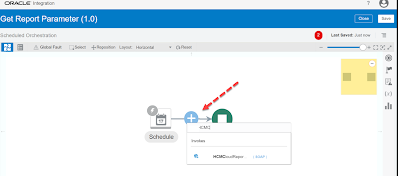
You can get the Report Parameters by selecting ‘getReportParameters‘ operations of the  Standard SOAP WSDL (ExternalReportWSSService)  Lets see the complete steps to get Report Parameters by doing one POC : Steps Overview : Create SOAP Connection using ‘ExternalReportWSSService’ WSDL  Then Create a schedule integration using the above SOAP Connection inside which configure the SOAP Adapter

You can get the Report Parameters by selecting ‘getReportParameters‘ operations of the  Standard SOAP WSDL (ExternalReportWSSService)  Lets see the complete steps to get Report Parameters by doing one POC : Steps Overview : Create SOAP Connection using ‘ExternalReportWSSService’ WSDL  Then Create a schedule integration using the above SOAP Connection inside which configure the SOAP Adapter

You can get the Report Parameters by selecting ‘getReportParameters‘ operations of the  Standard SOAP WSDL (ExternalReportWSSService)  Lets see the complete steps to get Report Parameters by doing one POC : Steps Overview : Create SOAP Connection using ‘ExternalReportWSSService’ WSDL  Then Create a schedule integration using the above SOAP Connection inside which configure the SOAP Adapter

In this post I have tried to explain how we can use Create, Get & Update Worker REST API of HCM cloud with one simple example. Knowledge :👀 You can use Oracle HCM REST APIs to view and manage data stored in Oracle HCM Application Cloud and can be used as a bridge between external applications and