
In this article I have share the steps to develop and test a Calculator Integration from scratch in Oracle Integration Generations 3 Instance | A complete Hands-on Practice. Use Case – Develop an Integration which will be able to perform basic calculator operations i.e. (i.e. Addition ➕, Subtraction ➖, Multiplication ✖, Division ➗). Prerequisite – OIC
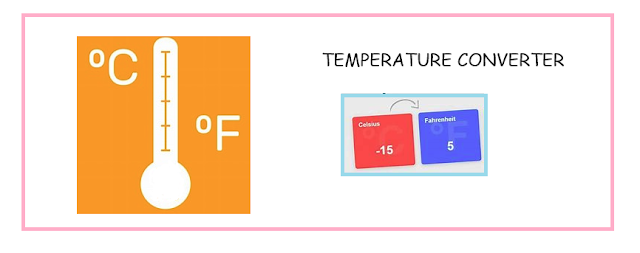
In this article I have mentioned the steps to create, design, activate, run an integration completely from scratch in Oracle Integration Gen 3. This article helps you to understand the new Gen 3 UI (user interface) and some of its new features. Use Case – Develop an Integration which will convert ℃ (Celsius) temperature into ℉

In this Article we will see the steps to create a SOAP connection in OIC Generation 3: Use Case – Lets create a SOAP connection using Calculator Service WSDL URL. This connection can be use in any integration to perform basic calculator operations (i.e. Addition ➕, Subtraction ➖, Multiplication ✖, Division ➗) Calculator
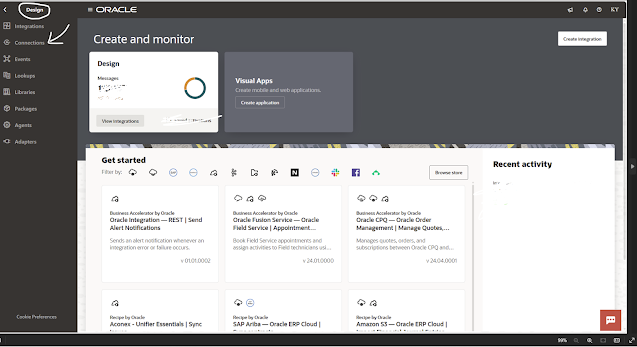
STEP1: Login to OIC Generation 3 Instance. On the Home page click Design 🖉 (left hand top side) and then click Connections. CLICK ON IMAGE FOR BETTER VIEW STEP 2: Click Create (right hand top side) and then search for REST adapter in the search box. Select REST Adapter. STEP 3: Enter the Connection Name = RESTConnection
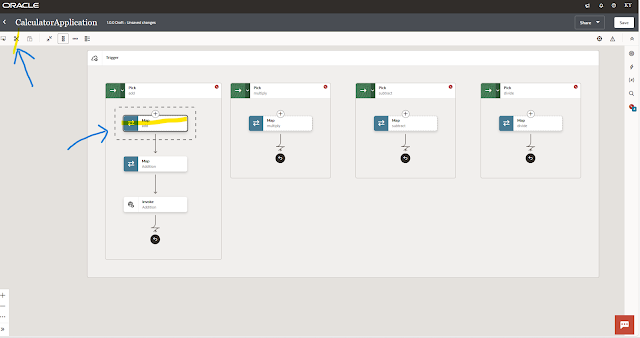
In this article we will see the steps to move the activity from one place to another in the integration generation 3 flow: STEP 1: Select the activity which you want to reposition in the integration flow. Then Click the cut icon ✀ (at left hand top) CLICK ON IMAGE FOR BETTER VIEW STEP 2: Select the place