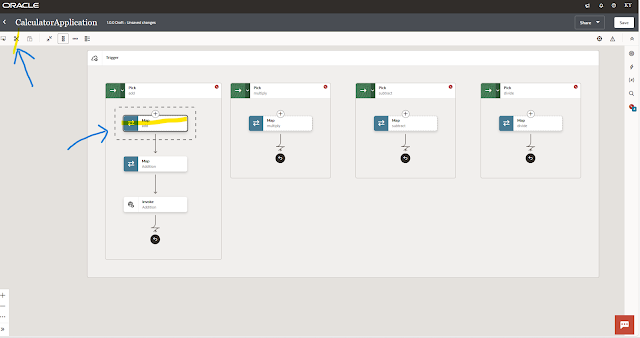
In this article we will see the steps to move the activity from one place to another in the integration generation 3 flow:
STEP 1: Select the activity which you want to reposition in the integration flow. Then Click the cut icon ✀ (at left hand top)
 |
| CLICK ON IMAGE FOR BETTER VIEW |
STEP 2: Select the place where you want to place it and then click paste. Click Save. Done you have successfully repositioned OIC activity in OIC Generation 3.


Thank You! ta-ta 👋

Leave a Reply