

In this article I have mentioned the steps to upgrade the firmware of syRotech Router. Keeping the firmware upto date can help you with better internet speed, Enhance Functionality & Security. Lets see the steps ➤ Step 1 : Login to Your syRotech Router configuration page. [ Note : If you don’t have your Router
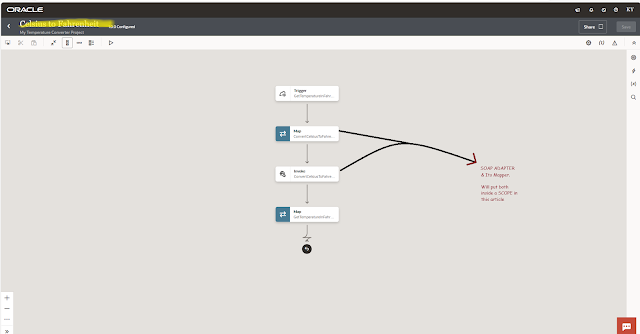
In this article I have shared the steps to add scope action in Oracle Integration. Knowledge: 👀 SCOPE in Integration: You can manage a group of Integratron Actions with a Scope action. The concept of scope is essential for designing complex integration flows, managing transactions, and controlling error handling. Error Handling: Each scope can have its
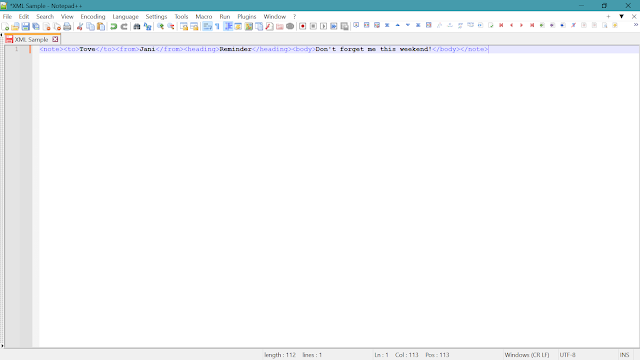
In this article I have shared the steps to Format XML in Notepad++. By following these steps we can skip the use of any web-based XML Formatter tool which can put the data security on risk. Now lets see the steps to do it offline using Notepad++ : STEP 1: Paste the XML data in Notepad++ Click

In this article I have share the steps to develop and test a Calculator Integration from scratch in Oracle Integration Generations 3 Instance | A complete Hands-on Practice. Use Case – Develop an Integration which will be able to perform basic calculator operations i.e. (i.e. Addition ➕, Subtraction ➖, Multiplication ✖, Division ➗). Prerequisite – OIC
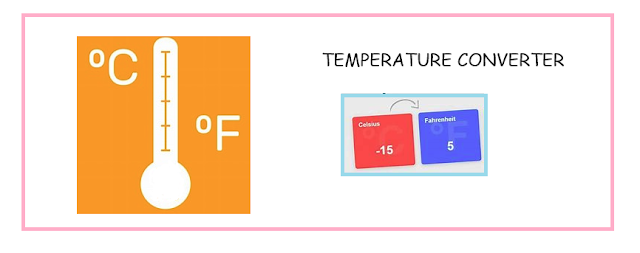
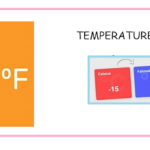
In this article I have mentioned the steps to create, design, activate, run an integration completely from scratch in Oracle Integration Gen 3. This article helps you to understand the new Gen 3 UI (user interface) and some of its new features. Use Case – Develop an Integration which will convert ℃ (Celsius) temperature into ℉

In this Article we will see the steps to create a SOAP connection in OIC Generation 3: Use Case – Lets create a SOAP connection using Calculator Service WSDL URL. This connection can be use in any integration to perform basic calculator operations (i.e. Addition ➕, Subtraction ➖, Multiplication ✖, Division ➗) Calculator
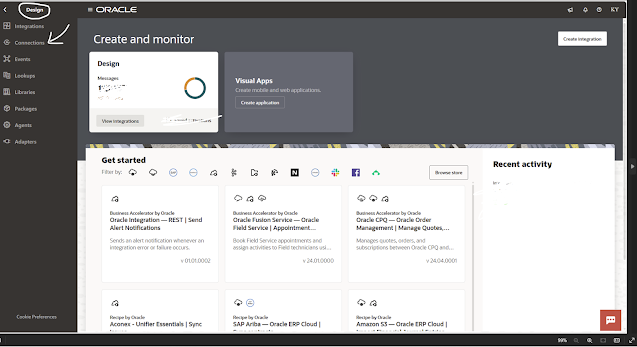
STEP1: Login to OIC Generation 3 Instance. On the Home page click Design 🖉 (left hand top side) and then click Connections. CLICK ON IMAGE FOR BETTER VIEW STEP 2: Click Create (right hand top side) and then search for REST adapter in the search box. Select REST Adapter. STEP 3: Enter the Connection Name = RESTConnection
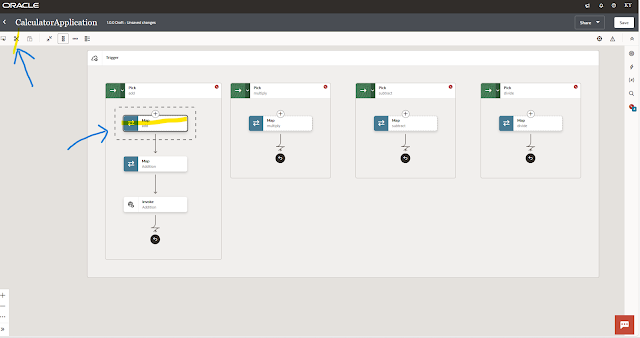
In this article we will see the steps to move the activity from one place to another in the integration generation 3 flow: STEP 1: Select the activity which you want to reposition in the integration flow. Then Click the cut icon ✀ (at left hand top) CLICK ON IMAGE FOR BETTER VIEW STEP 2: Select the place
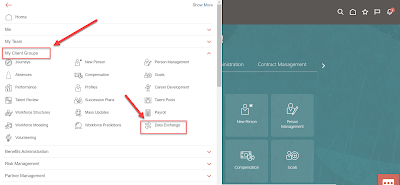
Oracle HCM Data Loader (HDL) Process ❓ 🤔 Oracle HCM Data Loader (HDL) jobs, a powerful tool for bulk loading data through integrations. Using Oracle HDL, you can load business objects for most Oracle HCM Cloud products into Oracle Integration. For example, you can load new hires from Oracle Talent Acquisition Cloud (Taleo EE) as
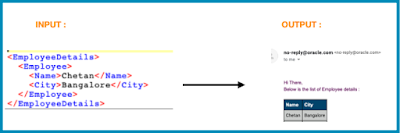
Knowledge : 👀 Notification? : Enables you to send notification email to relevant users at specific points in the execution of an integration. When we can use dynamic email notification ❓🤔 suppose you want to send email notification that contain DATA in TABEL FORMAT which ROWS is not FIXED i.e. body of email notification is not fixed.