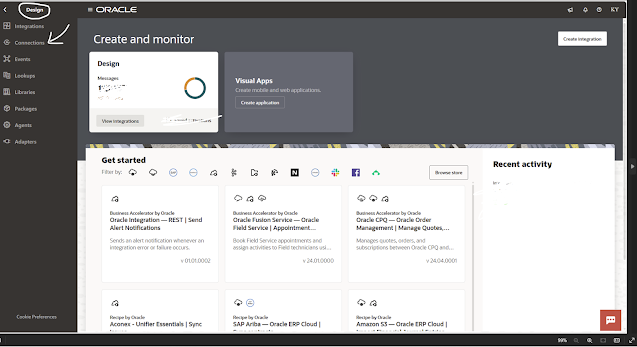
STEP1: Login to OIC Generation 3 Instance. On the Home page click Design 🖉 (left hand top side) and then click Connections.
 |
| CLICK ON IMAGE FOR BETTER VIEW |
STEP 2: Click Create (right hand top side) and then search for REST adapter in the search box. Select REST Adapter.


STEP 3: Enter the Connection Name = RESTConnection (you can give any meaningful name) and then Select Role = Trigger. Click Create.

STEP2: Select Security = Basic Authentication, Access Type = Public Gateway. Click Save and then Test the connection. Your connection is ready to use inside Integrations.

Thank You! ta-ta 👋

Leave a Reply