
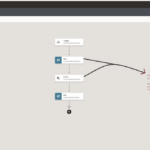

STEP 1 : Activate the dynamic email Integration which was created in the previous blog. Click Activate. STEP 2 : Once the integration get activated click to open the endpoint URL as shown in
Knowledge : 👀 Connection ? : A connection is based on an adapter. For example, to create a connection to a specific RightNow Cloud application instance, you must select the Oracle RightNow adapter and then specify the WSDL URL, security Policy and security to connect to it. STEP 1: Open Connections and then click on
Some Basics about FTP : File Transfer Protocol(FTP) is a standard Internet protocol for transmitting files between computers on the Internet over TCP/IP connections. FTP is a client-server protocol that relies on two communication channels between client (like FileZilla & Winscp tool) and server : a command channel for conversation and a data channel for transmitting the
What is Metalink(My Oracle Support)? Metalink(My oracle support) is a service provided by Oracle to customers who want any sort of technical assistance. If you don’t have metalink account there is no way to download patch, can log a SR or reach to related technical documents. STEP 1: Click to open My Oracle Support signup home page & the click
Why an Oracle Account? **To access the different services provided by Oracle(ex. Metalink, Oracle Applications), we must have to first create an Oracle Account. STEP 1: Click to open the Oracle Account Sign Up Home Page. STEP 2: Enter all the details in the required filed and then click on Create Account. Job Title* : Enter
In the previous blog we have seen how to develop Integration having SOAP connection. Now in this blog we will see how to test it. (Integration Name: Calculator Integration) Complexity : None Prerequisite : SoapUI Tool Step 1 : Activate the developed integration , then click Activate when prompted Step 2 : Once the Integration get activated, copy the
Use Case : In this blog we will develop a Basic Routing Integration which will do summation of two numbers. Suppose we will pass 5 & 6 as Input of Integration, Output we will get is 11. *Note : you can click on any image to zoom out. Complexity: None Prerequisites: Calculator SOAP Connection (please see
In this blog we will know how to configure SOAP connection for calculator integration( blog ). Here we will create two independent connections one Trigger connection and one Invoke connection. Complexity : None Prerequisites : Calculator service WSDL URL : http://www.dneonline.com/calculator.asmx?WSDL – Advertisement – Steps for Trigger connection : STEP 1: On the Oracle Integration Cloud Service home page, click the Integrations then
How To Activate the Integration :


Use Case :
This sample demonstrates how to use simple logging with a REST Adapter as a trigger in a request-response orchestrated integration. The REST Adapter is triggered when you specify a URL. A browser response is sent to you. A logging message is created and logged to the activity stream for viewing. You also track the integration and monitor message status

– Advertisement –